Automatic Retry
If a file transfer is disrupted due to a network failure, limited server capacity, or other problems likely to be temporary, DropDat will pause for about one minute and then try to repeat the pending transaction.
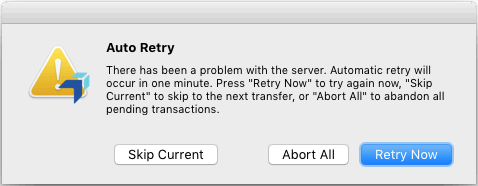
Some problems, such as network connectivity or busy files, may require user action to resolve. Check the Sending window for specific errors.
The server enforces a mandatory 60 second cooling-off period after a network or server disruption is detected. Clicking "Retry-Now" prior to the end of this period may fail with a message indicating that the file may be in use.
If you believe the problem is likely to resolve itself in time, such as for the server being at capacity, the recommended action is to wait for DropDat to retry automatically. This gives the network and server time to recover from the original error. If you believe you have resolved the problem, select "Retry Now" to repeat the previous transaction immediately.
If the target is a host group, DropDat will search for an available server amongst the group. This may result in some files being delivered to different servers. If the target includes fallback groups, the fallback servers will be used only if all servers in the earlier peer groups are completely unreachable. If servers in a peer group are reachable but at full capacity, DropDat will retry within that group until capacity becomes available.
DropDat will continue to retry until it succeeds, a fatal error occurs, or you skip or abort the remaining files.
To abort all remaining transactions, select "Abort All".
Selecting "Skip Current" will abandon the current transaction and move on to the next transaction. This may be useful if you are sending multiple files and believe the error affects only the current one.
Checkpoint Resume
When uploading files without Object Handlers or Streaming Folders, DropDat will attempt to preserve data already uploaded by resuming at the point of disruption. If an upload to an Object Handler is interrupted, the entire object must restarted from the beginning. If a Streaming Folder is interrupted, that entire folder must be restarted from the beginning.